Case study · 04 / 06
LifeSight
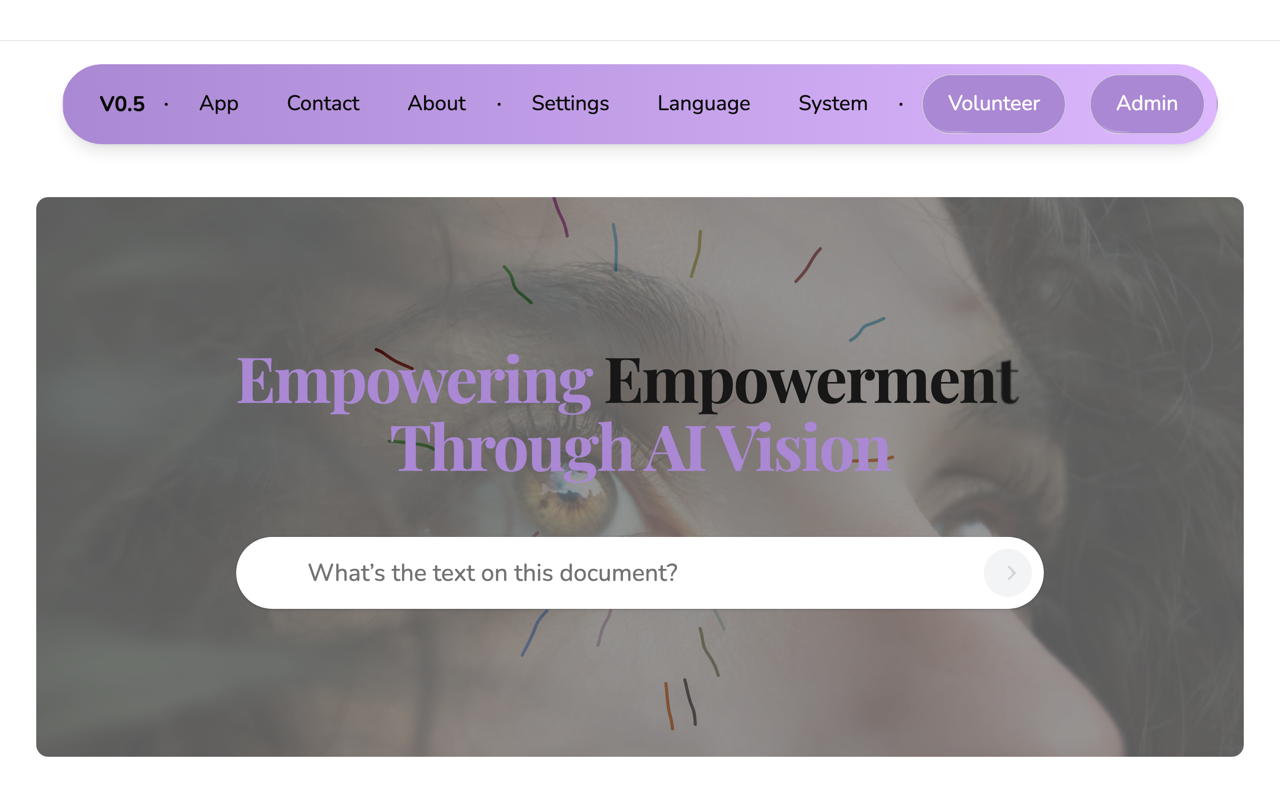
A web-based vision assistant that lets visually impaired users point a camera at the world, ask a question by voice or text, and hear a spoken answer generated by a multimodal AI model — no app install, no special hardware.
- In production at lifesight.vercel.app
- Live
- Type, contrast, motion and speech, user-adjustable
- Tunable a11y
- Runs in any modern browser with a camera
- Zero install
- Full loop usable without looking at the screen
- Voice-first
Context
Visually impaired people constantly face small reading and orientation tasks — a product label, a sign, a bus stop, the layout of a desk — that sighted people resolve in a glance. Dedicated assistive hardware is expensive and scarce in markets like Sri Lanka, while a smartphone or laptop with a camera and a browser is far more common. LifeSight turns that browser into the assistive device: camera in, spoken guidance out.
I built LifeSight end to end: the Next.js web app, the camera-to-AI pipeline that sends frames and questions to Gemini, the voice interaction layer on the Web Speech API, and the accessibility settings system that reshapes the whole UI. It is deployed in production on Vercel.
01
Camera frame to answer in one round trip
The assistant captures the live video element to a canvas, encodes the frame as JPEG, and sends it alongside the user's question as a single multimodal request to Gemini. The prompt frames the model as an assistant helping someone work independently, instructed to give clear step-by-step guidance from what it sees and hears. One request carries both image and text, so there is no separate OCR pass — reading a label and describing a scene are the same code path.
02
Voice as the primary interface, text as fallback
Input uses the browser's SpeechRecognition (with the webkit-prefixed fallback), and every response is spoken back through speechSynthesis, so the core loop never requires looking at the screen. Voice commands also drive the app itself — toggling the camera and microphone and cycling between devices. When speech recognition isn't supported, a text input with rotating example prompts covers the same flow.
03
Accessibility settings that reshape the whole app
A settings context threads font size, line height, letter spacing, accent color, high contrast, reduced motion, screen-reader mode, and anti-flicker through every component — text sizes are computed from the user's base font setting rather than hard-coded. Not one high-contrast page, but a UI whose typography, motion, and color the user tunes once and keeps everywhere.
04
Shipping as a browser-first web app
The product is built to run wherever a browser runs: the camera comes from getUserMedia, speech from the Web Speech API, and every capability degrades gracefully when an API is missing. That made deployment trivial and the app reachable from any modern device with no install — the constraint that mattered most for the people it serves.
Stack & architecture
- Next.js App Router frontend (React), deployed on Vercel
- Google Gemini multimodal model for image + text understanding and OCR-style reading
- getUserMedia camera capture; frames drawn to canvas and encoded as JPEG for the model
- Web Speech API: SpeechRecognition for voice input and commands, speechSynthesis for spoken replies
- Settings context: font size, line height, letter spacing, accent color, contrast, motion, anti-flicker
- Multi-device handling — cycles through available cameras and microphones by voice or UI
- Landing page with onboarding, volunteer sign-up, and a recorded demo walkthrough
- React
- Next.js
- Google Cloud Vision
- Web Speech API
- Vercel